Analytics for the Brightspace LMS
SQL reporting and course insights for the Brightspace LMS
Write SQL against your own Brightspace Data Sets, share reports with the right rows for each role, and put key numbers on Brightspace course homepages.
Free Evaluation. No credit card. No warehouse or ETL for your team to run.
Query
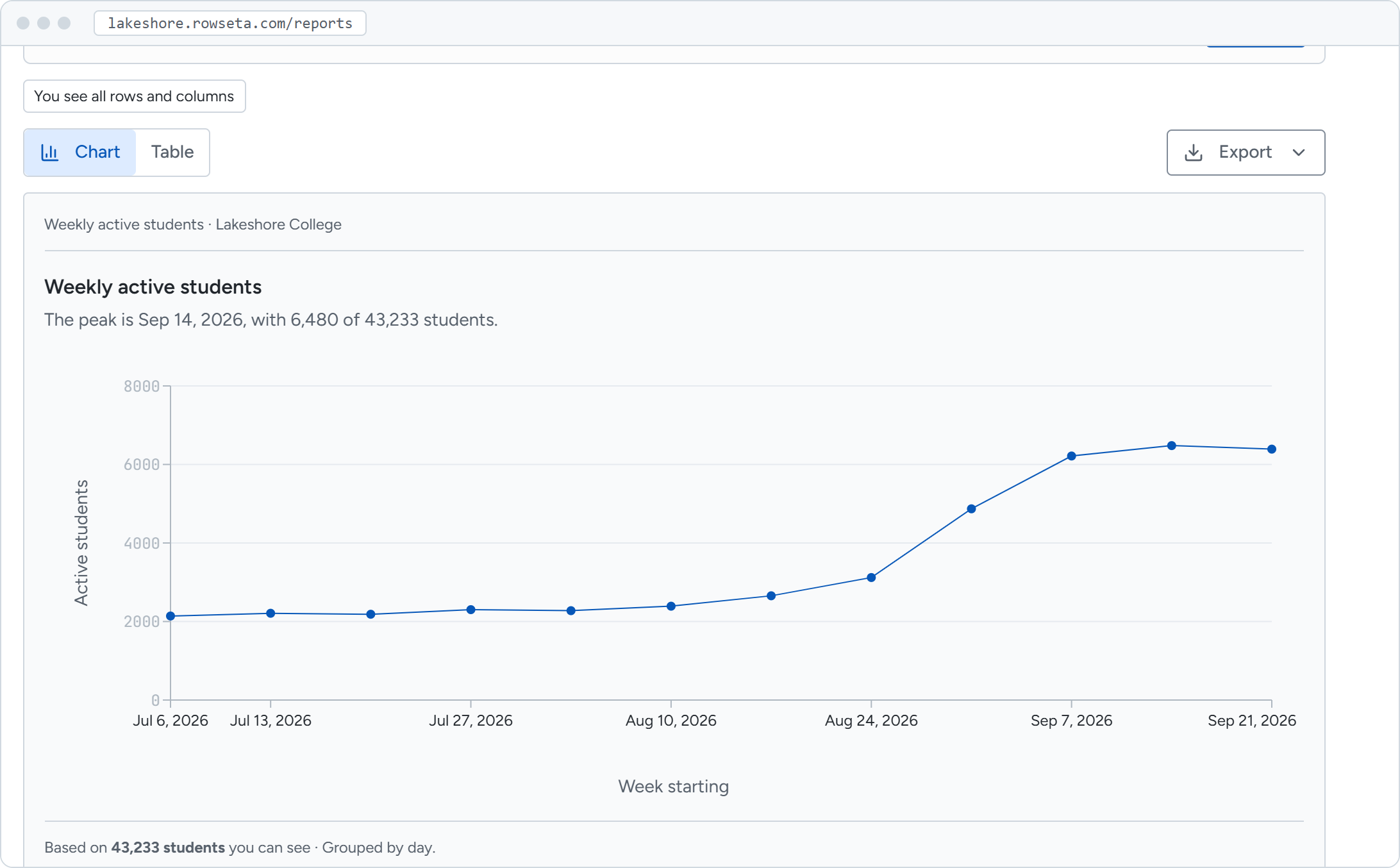
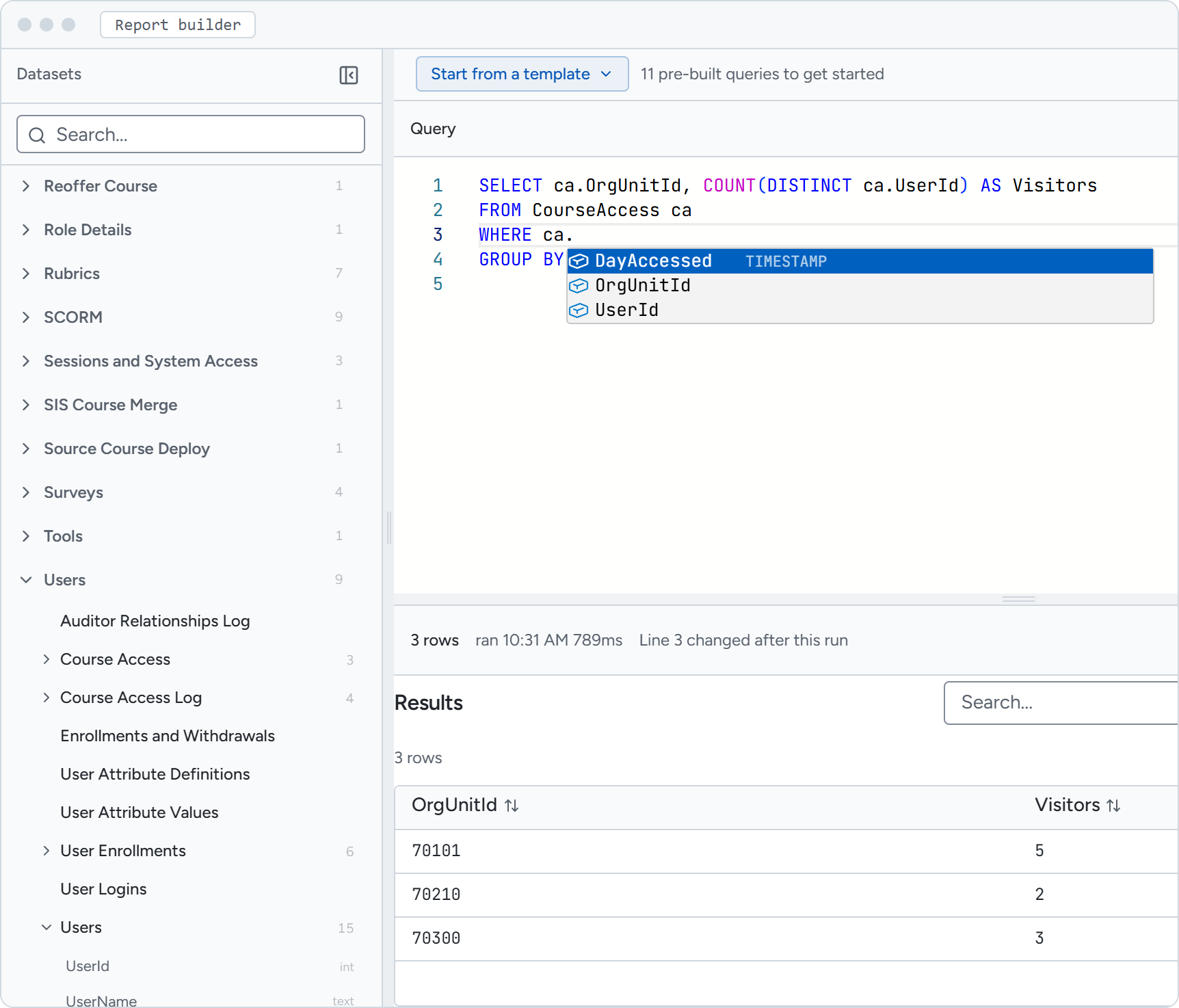
Write SQL against your own Brightspace data
Every dataset you sync becomes a table you can query. Rowseta downloads and processes the extracts for you, so there are no files to stitch together.
- Browse each synced dataset and its columns in the Datasets list
- Start from system reports and templates for enrollment, course activity, grades and engagement
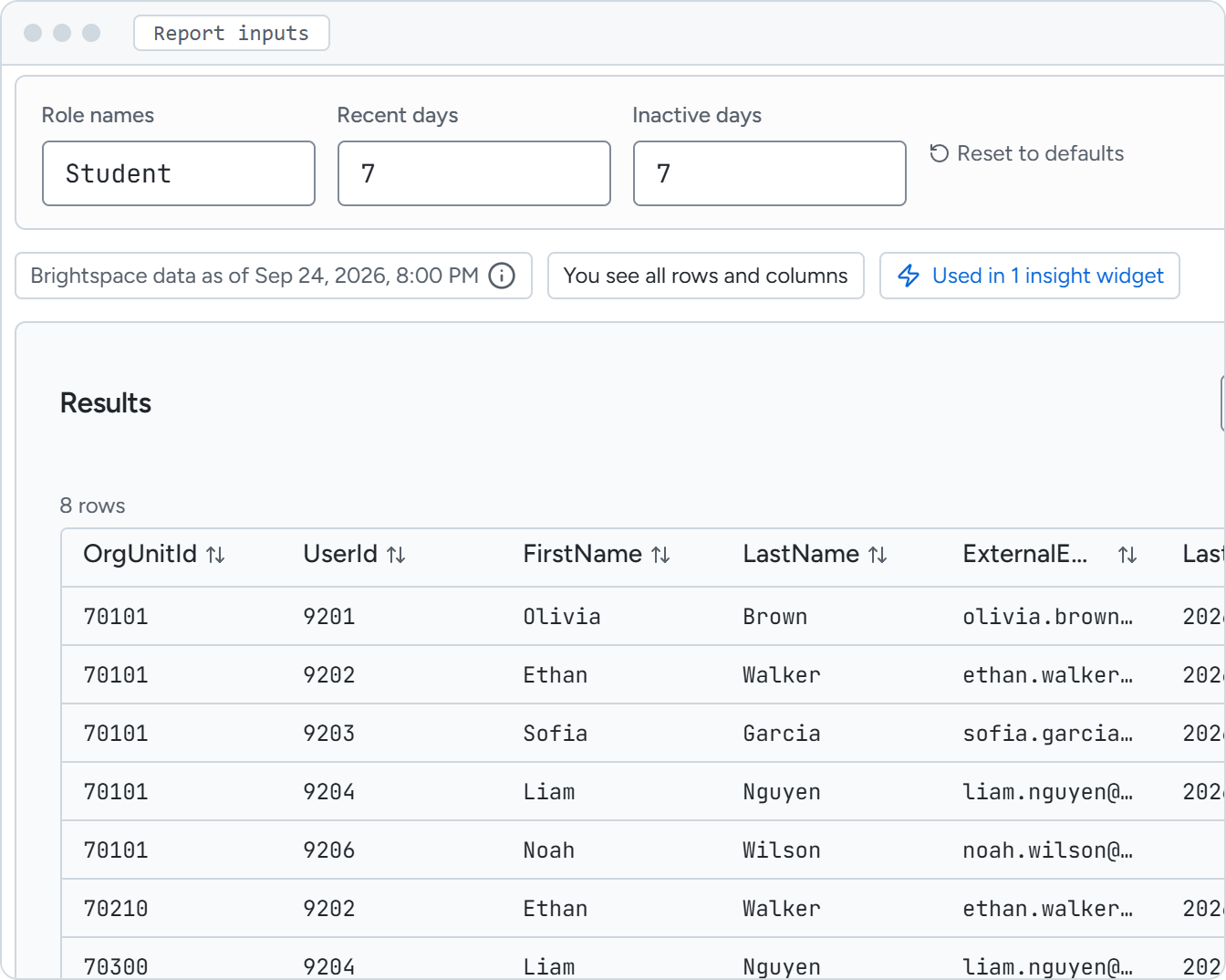
- Leave the judgment calls to the people who know the course. Turn any cutoff in your SQL into an input they can set, and one report fits every course.
- Download the full results of any report as a CSV file.
Share
Share reports that respect every role
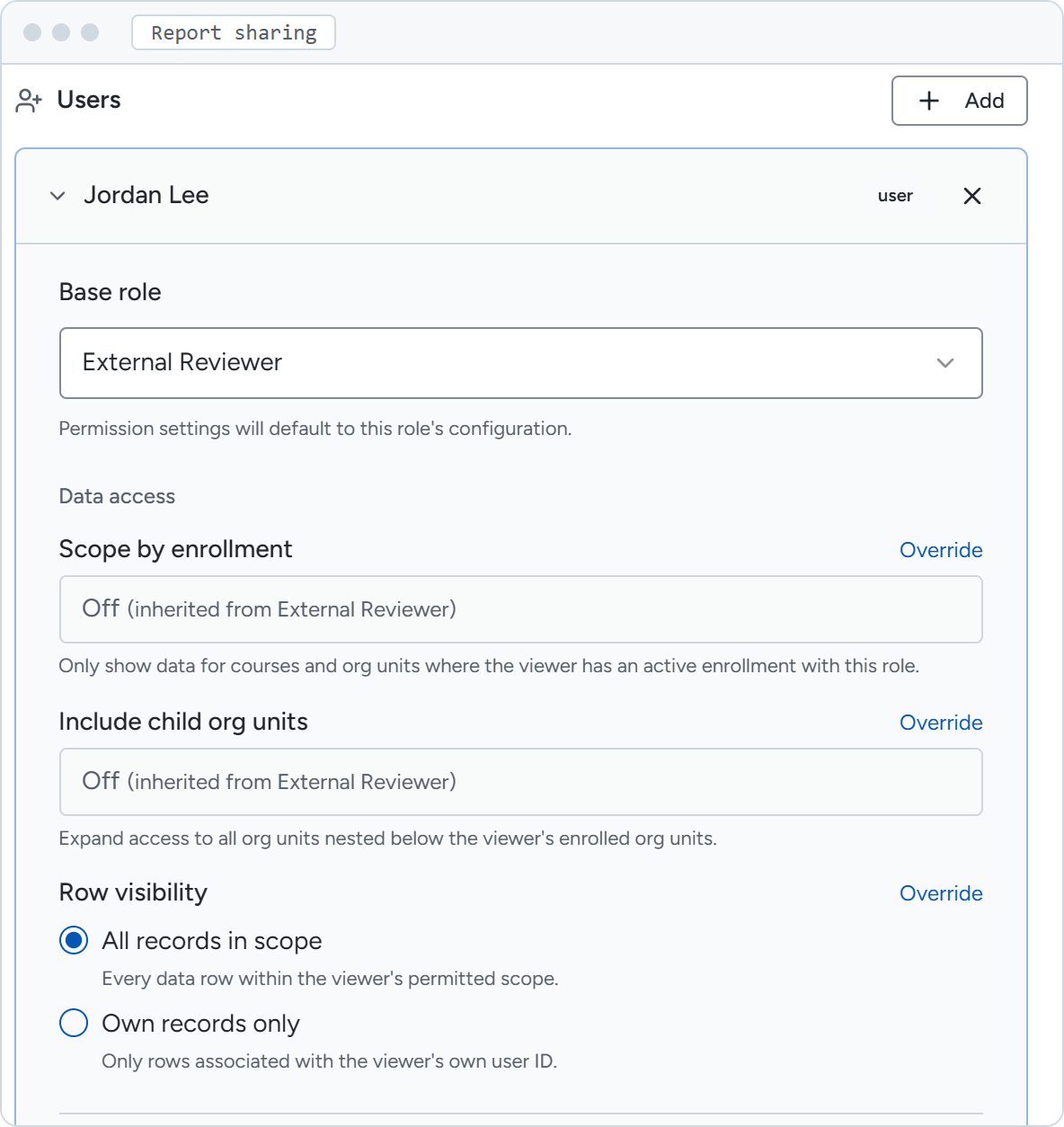
Publish once, then choose who can open the report and set limits on the rows and columns each share shows. People you give broader report permissions can see beyond those limits.
- Share with a role or with named people
- Limit a share to the courses someone is enrolled in, or to their own records
- Hide columns and personal information for a share
In the course
Put the numbers where teaching happens
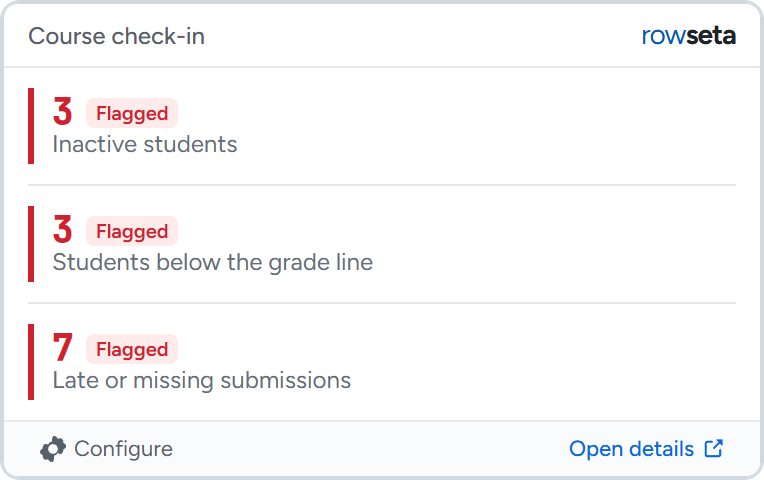
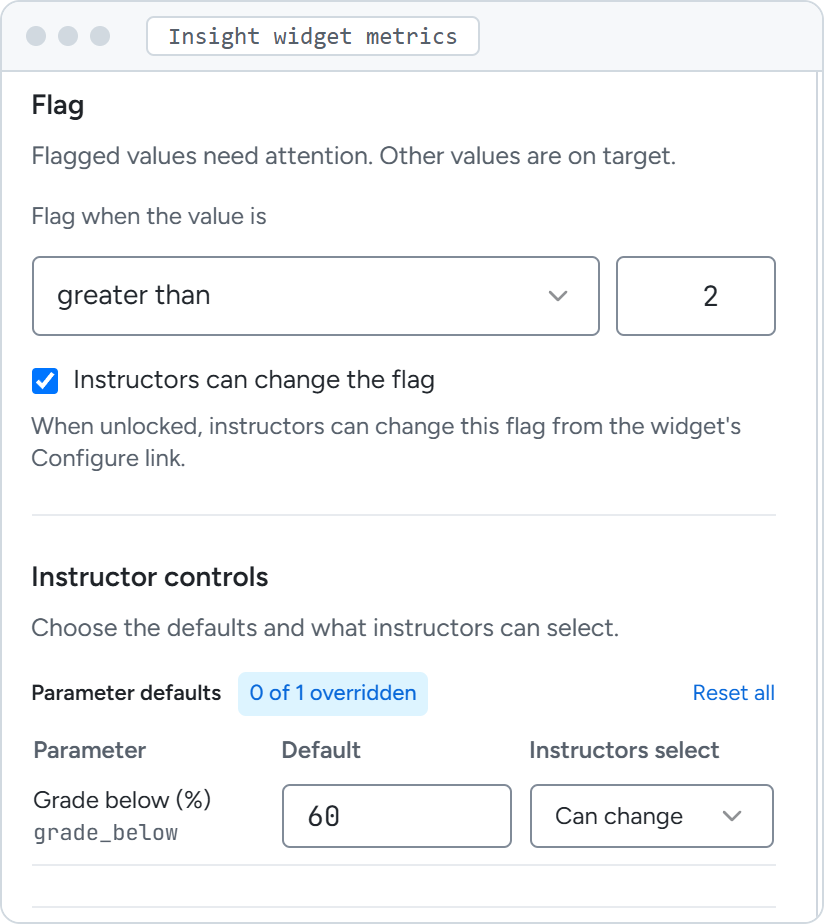
Insight widgets turn published reports into a small card on the Brightspace course homepage. You choose what each metric measures from one of your published reports. Instructors adjust the inputs and flag thresholds you open to them, for their own course.
- Set a threshold and the card shows Flagged or On target
- Track what matters for teaching, like students below a grade line or late and missing submissions
- Control what students see: when you allow it, each student sees only their own numbers.
- Open the report rows behind supported metrics, with CSV download
- Placed with LTI 1.3. Each card shows the date of the data behind it
Setup
From Brightspace to your first report in three steps
Connect Brightspace
Register an OAuth 2.0 app in Brightspace, paste the credentials and select Test connection.
Choose datasets
Rowseta finds the Brightspace Data Sets your instance offers. Pick what you need and add more later.
Run your first sync
Starter reports become available as their datasets finish syncing. With a subscription, Rowseta keeps syncing automatically.
Before you start
What you need from Brightspace
Brightspace Data Sets
Access to the Brightspace Data Sets your institution can download, through an OAuth 2.0 app your administrator registers.
An LTI 1.3 registration
Only for insight widgets. Rowseta gives you a setup link for Dynamic Registration in Brightspace.
Administrative access
Setup needs administrative access in Brightspace and in Rowseta. Analysts, leaders and instructors join after that.
Step by step in the Rowseta help.
Pricing
Start in Evaluation. Subscribe when it works for you.
Evaluation
Evaluation does not turn into a paid subscription on its own.
- Connect Brightspace and query your data
- 5 sync credits, including your first sync
- Up to 3 published reports
- 1 active insight widget, in up to 3 courses
- Report sharing and automatic syncs need a subscription
Annual subscription
USD 0.25 per LMS Account per year above 12,000 accounts. Fixed for the term, no overage.
- Automatic syncs
- Report sharing with roles and people
- Insight widgets across your courses
- Price set again at renewal from your LMS Account count
Questions
Questions about Brightspace reporting
What are Brightspace Data Sets?
Brightspace Data Sets are data extracts from the Brightspace LMS about users, enrollments, course access, grades and content. Rowseta downloads and processes the ones you choose.
Do I need to know SQL?
Not to start. System reports and templates cover enrollment, activity, grades and engagement. To answer your own questions and get the most from Rowseta, you will want SQL, or someone on your team who knows it.
How current is the data?
Reports and widgets show the date of the Brightspace data behind them. Rowseta syncs automatically with a subscription. In Evaluation, the first sync starts automatically and you start later syncs yourself.
Can students see insight widgets?
Only if you turn it on for a widget. Students then see metrics from their own records, without the instructor details view.
Is Rowseta part of Brightspace?
No. Rowseta is a separate product from BentoBits Inc. It works with the data your Brightspace instance already makes available.
Where is our data stored?
New Organizations store their data in the Global data region. See Security for details.
See your Brightspace data in Rowseta
Connect Brightspace, run your first sync and open your first report.
Start free evaluation